
![Pipe by Vessel [Gunmetal] - Headshop.com](http://www.headshop.com/cdn/shop/files/Pipe_Gunmetal_Angle.jpg?v=1744306453&width=900)
![Pipe by Vessel [Gunmetal] - Headshop.com](http://www.headshop.com/cdn/shop/files/Pipe_Gunmetal_Closed.jpg?v=1744306456&width=1000)
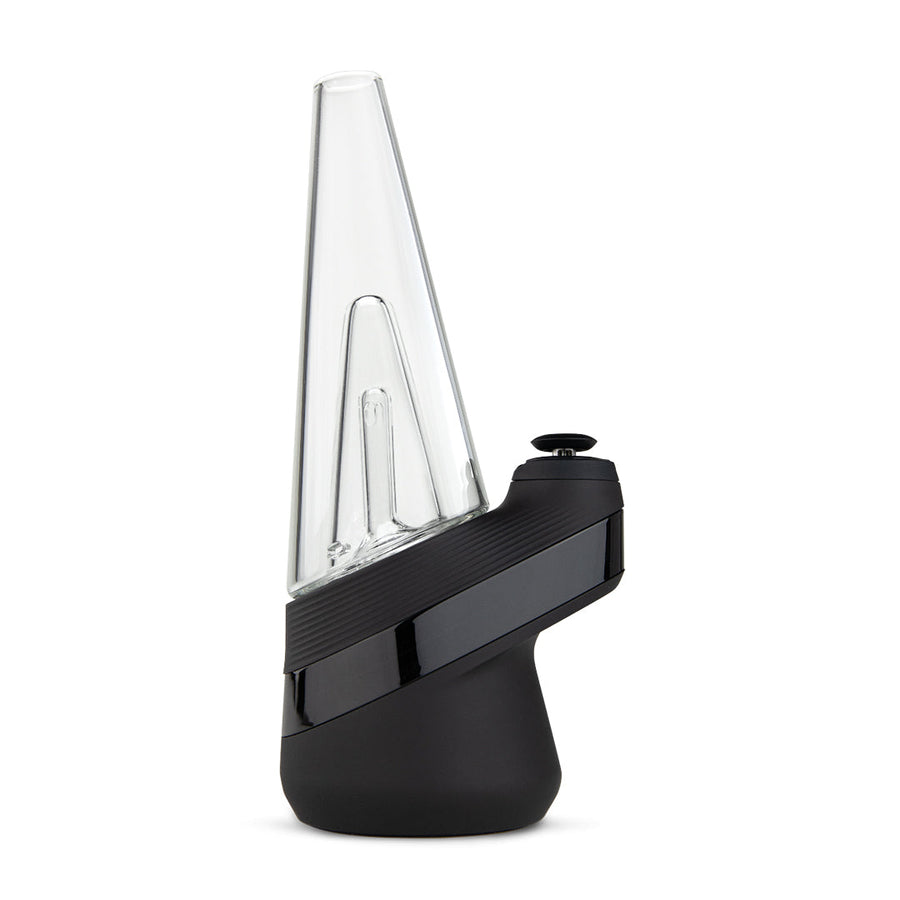
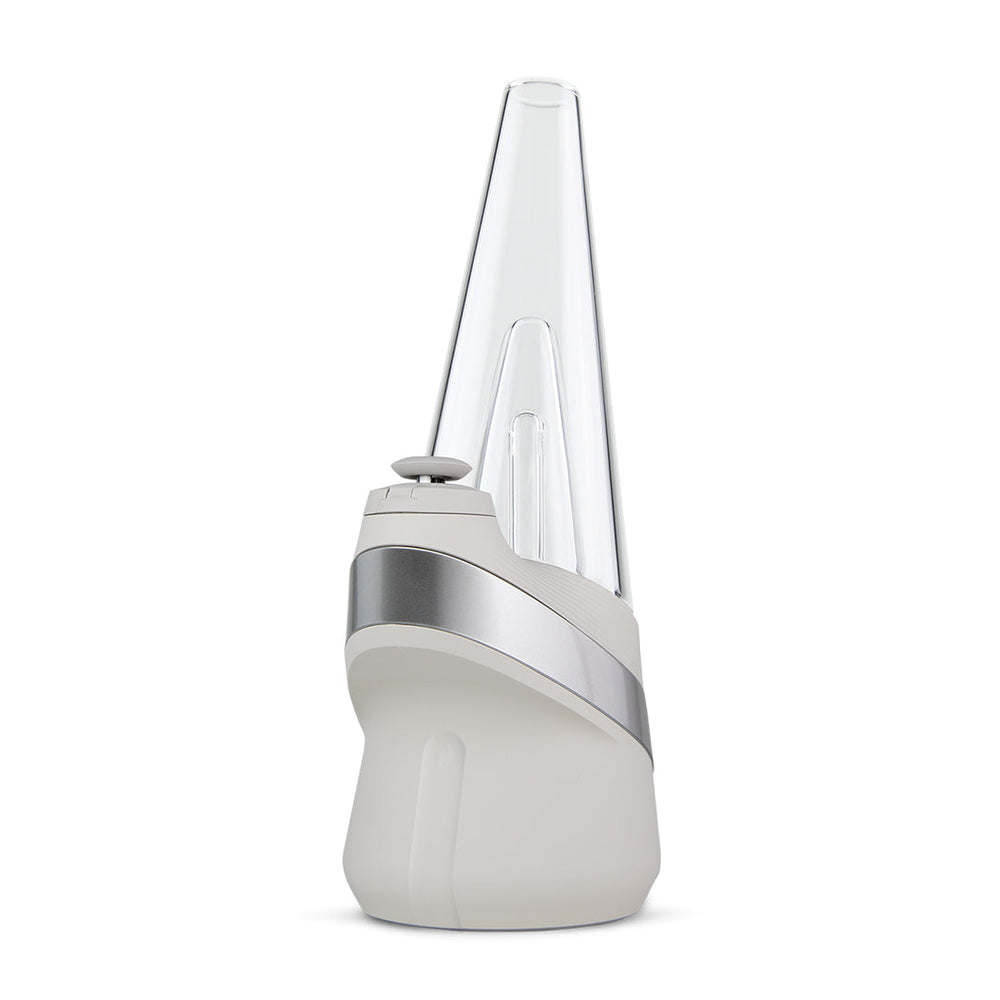





How to connect a Puffco Proxy to glass rig attachments
Instead of transferring your Puffco Proxy between glass pieces by trial and error, use either a Proxy-compatible replacement housing or a Proxy-to-rig adapter matched to your glass joint. This guide explains how to check puffco proxy glass attachments, assemble the connection, and test stability and airflow before powering the device.
- Puffco Proxy glass attachments require a compatible device seat; ordinary glass rig joints do not hold the device directly.
- Choose replacement glass for a direct fit, or a Proxy-specific rig adapter for an existing water pipe.
- Match joint size, joint gender, device version, and clearance before assembling a rig adapter.
- Keep the electronic base dry, and test water-filled glass without the device installed.
Why this matters
A matching glass joint does not prove that an attachment fits your Proxy. There are two separate connections: the device sits in a purpose-built housing, while a rig adapter connects that housing to a conventional glass joint. Both must fit.
Headshop sells vaporizers, dab rigs, and smoking accessories for adults. This Headshop guide to Puffco Proxy glass attachments is best for adult owners checking mechanical fit before changing glass.
For your 2026 setup, start with the exact device and attachment names printed on their packaging or instructions. Do not treat the word Puffco as a universal compatibility label. A familiar brand name is not a substitute for an explicit Proxy fit statement.
Before you start
- Have the right parts and instructions: your cooled, powered-off Proxy, the proposed attachment, its compatibility information, and a stable work surface. For an adapter setup, also identify your rig's joint size and gender.
- Check the non-obvious fit problem: an adapter can match the rig joint yet leave the Proxy touching the neck, leaning sideways, or loading the joint with too much weight. Confirm clearance and the intended operating orientation before assembly.
- Prepare clean, dry contact surfaces: remove residue from the glass joint and device seat using each manufacturer's cleaning instructions. Keep the electronic base out of water, and let cleaned parts dry completely before reconnecting them.
Do not force a fit that the attachment maker has not confirmed. If the documentation does not identify your device version, resolve that compatibility question before installing anything.
Attachment selection
Choose the connection type
- Identify whether the attachment replaces the Proxy's existing glass housing or connects the Proxy to a separate rig.
- Read the attachment's compatibility statement. Look for explicit support for your exact Proxy version, not just a general reference to electronic vaporizers.
- Check whether the attachment is intended for dry use or water use. Follow its instructions rather than assuming every glass piece takes water.
- Inspect the receiving seat, glass rim, and any included seal for damage or missing components.
Expected result: you can describe the complete connection before handling the device: Proxy into replacement glass, or Proxy into an adapter that fits a separate rig.
| Connection option | Best for | Main advantage | Main limitation | Required check |
|---|---|---|---|---|
| Proxy-compatible dry replacement glass | Owners who want a different glass shape without a separate rig | No separate rig joint to match | Must provide the correct device seat and airflow path | Exact device compatibility |
| Proxy-compatible water attachment | Owners who want a purpose-built water setup | Combines the device seat and water pathway in one attachment | Adds filling, draining, and splash-control checks | Intended water level and device clearance |
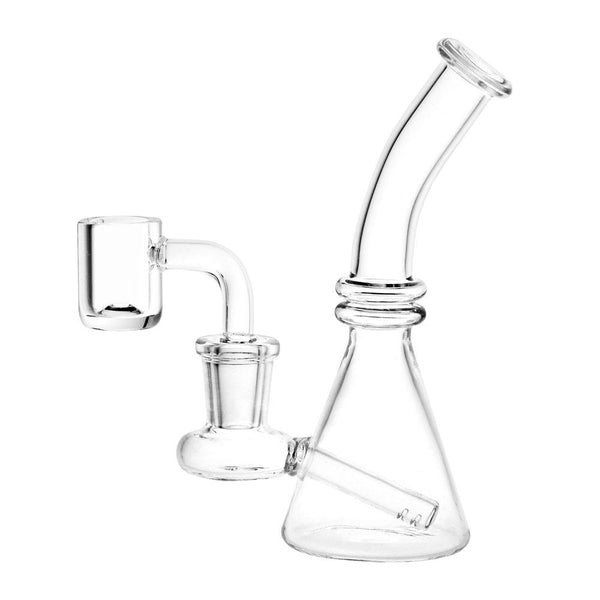
| Proxy-to-rig adapter | Owners connecting an existing glass rig | Uses a separate rig with a matching joint | Adds another connection and more weight at the joint | Device fit, joint fit, angle, and stability |
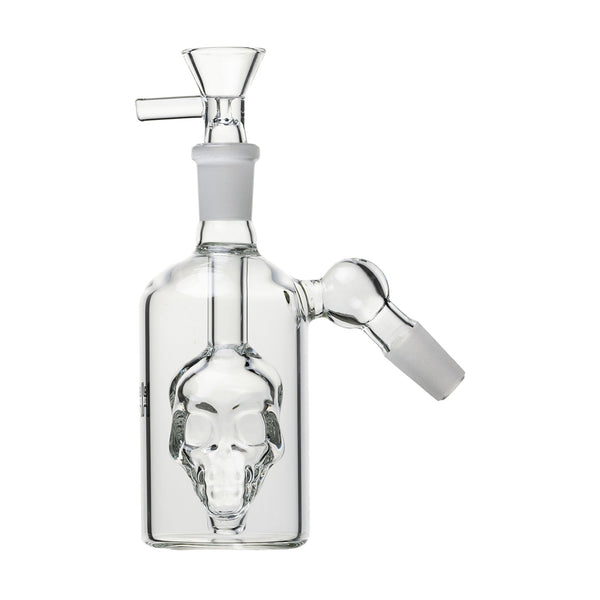
These are connection types, not interchangeable parts. A standard bowl, banger, or mouthpiece does not become a Proxy housing because its glass opening looks similar.
For a 2026 attachment purchase, keep a record of the maker's compatibility statement. A product photograph alone does not establish the dimensions or supported device version.
Match the rig joint
- Identify the rig's nominal joint size from its specifications. Common glass joint sizes include 10 mm, 14 mm, and 18 mm; do not choose by appearance alone.
- Identify joint gender. A male ground-glass joint inserts into a female ground-glass socket, so the adapter must provide the complementary connection.
- Check the joint angle and the adapter's geometry. Common configurations include 45-degree and 90-degree joints, but the assembled device must still sit as its manufacturer instructs.
- Check clearance around the mouthpiece, neck, base, and device controls. Confirm that you can remove the Proxy without striking nearby glass.
Expected result: the adapter matches the rig's size and gender while holding the Proxy in its intended orientation, clear of surrounding glass.
A 14 mm male adapter belongs in a matching 14 mm female socket. That size match says nothing about whether the adapter's upper seat fits your Proxy; verify that separately.
The same distinction applies to reducers. Changing joint size does not correct an incompatible device seat, an unsuitable angle, or a top-heavy assembly.
Glass preparation and assembly
Prepare the glass
- Switch the Proxy off and let it cool before removing it from its current housing.
- Place the glass on a flat, stable surface. Inspect it under good light for chips, cracks, or damaged ground-glass edges.
- For a water attachment or rig, remove the electronic device before filling. Use the glass maker's fill guidance rather than an improvised universal measurement.
- Test the water-filled glass without the Proxy installed. Check for leaks, excessive resistance, and water rising toward the device connection during an ordinary gentle draw.
- Empty and adjust the water if it splashes toward the receiving seat. Dry the device seat and exterior before assembly.
Expected result: the glass stands securely, draws through its intended pathway, and keeps water away from the electronic connection.
There is no single fill volume for all Puffco Proxy glass attachments. Internal pathways, percolator positions, and chamber shapes differ, so a fixed milliliter recommendation would be misleading.
Keep the filling and device-installation tasks separate in your 2026 routine. That makes a spill easier to contain without exposing the electronic base.
Seat the device and adapter
- For a rig setup, gently insert the compatible adapter into the clean, dry rig joint. Support the rig near the connection rather than pushing against a long glass neck.
- Align the cooled Proxy with the attachment's receiving seat according to the attachment instructions. Keep its air openings unobstructed.
- Insert the device with gentle, even pressure. Stop if the seat resists, rocks unevenly, or requires a hard twist.
- Check the entire assembly from the side. Confirm that the device does not press against the rig and that its weight does not pull the rig off balance.
- Support the glass while checking the fit. Do not lift the assembled setup by the Proxy, adapter, or mouthpiece.
Expected result: the device sits as the attachment maker specifies, the glass remains stable, and no connection needs hand pressure to stay aligned.
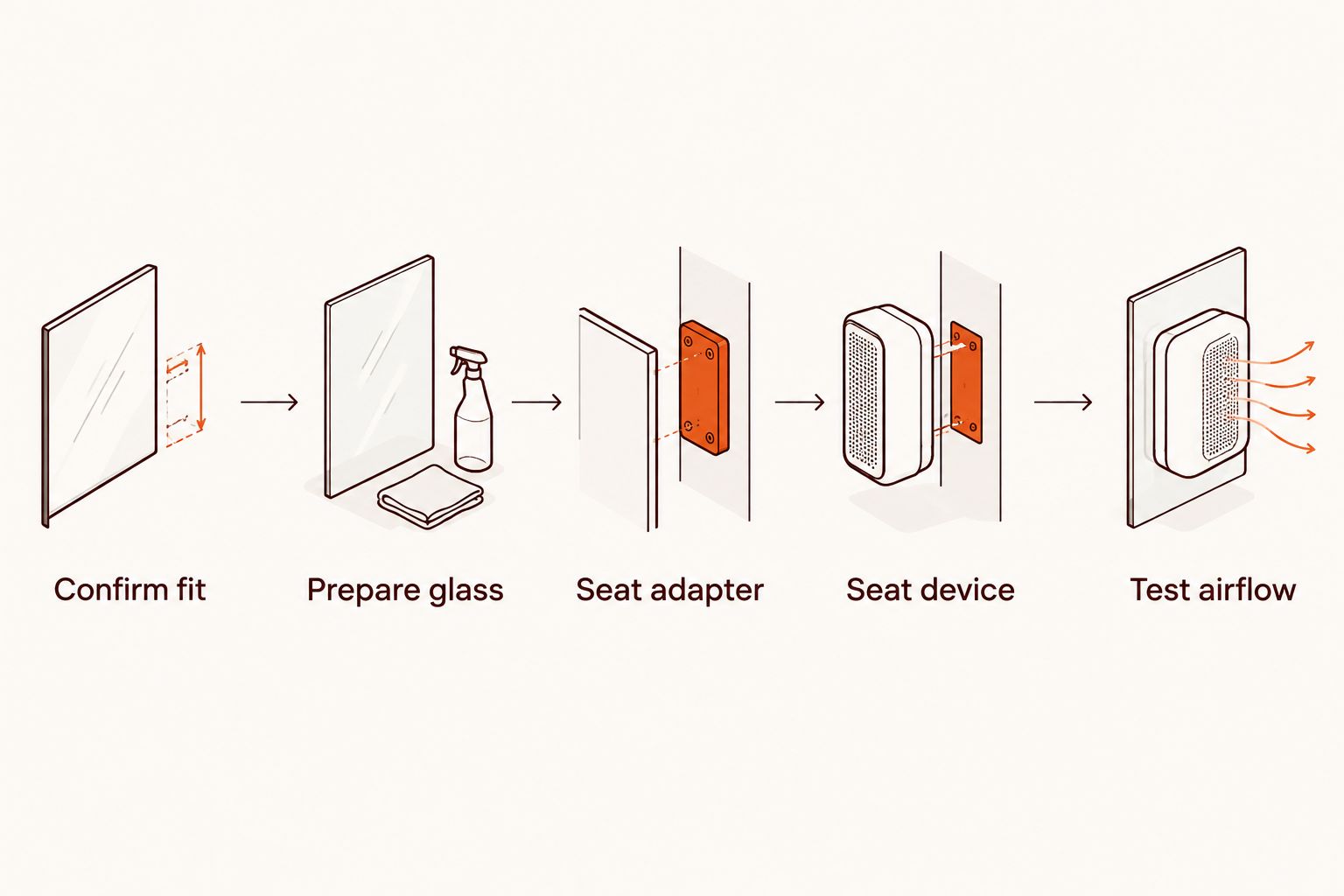
The connection sequence is simple once the parts are verified: Confirm fit, Prepare glass, Seat adapter, Seat device, then Test airflow. For direct replacement glass, omit the adapter step.
Check the assembled airflow
- Leave the device powered off while checking that the assembled air pathway is open.
- Take a gentle draw through the intended mouthpiece. Stop if water approaches the device, the assembly shifts, or resistance is unexpectedly high.
- Check the device seat and rig joint for visible gaps or uneven seating. Remove and reseat compatible parts rather than pressing harder on the assembly.
- Once the mechanical checks pass, follow the Proxy manual for operation. Changing glass does not establish a new heating setting or control sequence.
Expected result: air travels through the intended pathway without visible water intrusion, unstable glass, or a poorly seated connection.
This is a mechanical setup guide, not a replacement for the device manual. There are no universal attachment buttons or settings to select, and different glass does not automatically require a higher heat setting.
Variant: switch between dry glass and a water rig
A direct glass housing and a separate rig adapter are adjacent workflows, but changing between them requires more than moving a warm device.
- Power off the Proxy and let the device and surrounding parts cool.
- Hold the existing glass securely and remove the device using the attachment maker's method.
- Inspect the receiving seat on the next attachment. Remove residue and confirm that the contact area is completely dry.
- If the next setup uses water, fill and test that glass without the device installed.
- Seat the Proxy, check balance, and repeat the powered-off airflow test.
Best for frequent changes: a compatible direct housing keeps the connection simpler. Its trade-off is that it does not connect your existing rig; a rig adapter adds that connection but also adds joint and balance checks.
For your 2026 setup, keep each attachment's instructions with the part. Do not transfer a water-level recommendation or a seating method from one glass design to another.
Troubleshooting
The Proxy rocks or will not seat
Remove the device and check compatibility, residue, and the attachment's sealing components. Reassemble only after confirming the correct fit. A visible gap is not a reason to add tape, glue, or an improvised gasket to the air pathway.
![Pipe by Vessel [Rose Gold]](http://www.headshop.com/cdn/shop/files/Pipe_Rose_Gold_Closed.jpg?v=1744306576&width=600 "Pipe by Vessel [Rose Gold]")
![Vessel - Mill [Beechwood]](http://www.headshop.com/cdn/shop/files/MILL_GUNMETAL_BEECH_COLLAPSED_FRONT_800.jpg?v=1744308513&width=600 "Vessel - Mill [Beechwood]")
![Vessel - Air [Jade]](http://www.headshop.com/cdn/shop/products/7cd436a1-b1f0-4e01-9e52-050ad7140b56.png?v=1679506090&width=600 "Vessel - Air [Jade]")
The adapter fits the rig but the device leans
Check the joint angle, adapter geometry, and available clearance. A matching diameter cannot correct the wrong orientation. Stop using an assembly that requires sideways pressure or support from a nearby glass wall.
Airflow feels restricted
Check for excessive water, blocked air openings, residue, or a misaligned device seat. Inspect the glass pathway separately with the electronics removed. Do not respond to a mechanical restriction by increasing heat or drawing harder.
Water reaches the device connection
Stop immediately, power off, and disconnect the electronics if safe. Remove the device before draining the glass, and follow Puffco's guidance for water exposure. Do not charge or resume operating a wet device to see whether it still works.
The ground-glass joint sticks
Let the assembly cool, remove the electronic device, and support the joint close to the connection. Avoid prying, impacts, and sudden temperature changes. If gentle handling does not release it, follow the glass maker's cleaning guidance instead of applying more force.
Customize your workflow
Change one component at a time. A new housing, a new adapter, and a different rig introduced together make it harder to identify the source of a fit or airflow problem.
Start with the simplest compatible configuration and record which part fits which device. A practical 2026 setup note includes the attachment name, supported Proxy version, joint specification, and cleaning instructions—not an assumed universal fit.
Headshop's guide to Puffco accessories covers the broader accessory category. Use explicit model compatibility to narrow your choices before comparing shapes or extra features.
FAQ
How do I connect a Puffco Proxy to a glass rig?
Use a Proxy-specific rig adapter that supports your exact device version and matches the rig's joint size and gender. Prepare and test the glass without the electronics, then seat the adapter and cooled device according to their instructions.
Can I put a Puffco Proxy directly into a bong joint?
An ordinary bong joint is not a Proxy device seat. You need a compatible Proxy-to-rig adapter unless the glass itself has a purpose-built, compatible receiving seat.
What size adapter do I need for Puffco Proxy glass attachments?
The rig determines the adapter's glass joint size, while your exact Proxy version determines the required device seat. Check both specifications; a matching rig diameter does not prove device compatibility.
Do all Puffco Proxy glass attachments use water?
No. Some replacement glass is intended for dry use, while other attachments include water pathways. Add water only when the attachment's instructions specify it.
Why does my Proxy attachment feel loose?
A loose attachment requires a compatibility and seating check before use. Inspect for residue, damaged glass, and missing or damaged sealing components, then follow the attachment maker's fitting instructions.
Should I change the heat setting after attaching a water rig?
Changing glass does not by itself establish a different heat setting. Confirm that airflow is unobstructed and follow the Proxy manual rather than compensating for a blocked pathway with more heat.
Can I clean the assembled Proxy and glass together?
Separate the electronic device from the glass before cleaning. Follow the instructions for each component, and never submerge the electronic base.
One last thing
Test removal as well as installation. Before powering the setup, confirm that you can support the glass and remove the cooled Proxy without hitting the mouthpiece or loading the joint sideways. An attachment that fits but cannot be removed safely is the wrong configuration.
Related guides
![Vessel Helix Pipe [Black] - Headshop.com](http://www.headshop.com/cdn/shop/files/Pipe_Black_Angle.jpg?v=1744306153&width=900)
![Vessel Helix Pipe [Black] - Headshop.com](http://www.headshop.com/cdn/shop/files/Pipe_Black_Closed.jpg?v=1744306155&width=1000)