

510 thread battery chargers for multi-device users: complete 2026 guide
Multi-device users’ 510 battery charging is the process of matching each battery to its approved charging connection and power requirements so your devices stay ready without charger mix-ups. A 510 thread battery charger is not automatically compatible with every 510 battery: cartridge threading and charging compatibility are separate checks, especially when your collection includes screw-on chargers, USB ports, and dedicated docks.
- Choose a 510 thread battery charger by the battery’s charging instructions, not by cartridge threading alone.
- Headshop suits adult shoppers comparing vape batteries and model-specific charging accessories.
- Separate screw-on chargers, USB cables, and dedicated docks in your multi-device charging setup.
- Match the charging specifications before connecting; cartridge voltage settings are not charging-input specifications.
Why charging compatibility matters for multi-device users
Sharing a cartridge connection does not mean sharing a charger. A battery can accept a threaded cartridge while charging through a separate USB port or proprietary contact system. That distinction matters when several similar-looking devices share a drawer.
The practical problem is keeping the correct battery, cable, adapter, and instructions together. Read the guide to how long a 510 thread battery lasts on a full charge when planning your rotation, but do not treat runtime as a charging-time specification.
For your 2026 setup, start with the equipment you already own. Replacing every charger is unnecessary when the original accessories remain undamaged and approved for their batteries; unidentified accessories belong outside the charging rotation until you confirm their purpose.
Build your multi-device charging setup
Identify each battery’s actual charging connection
Lay out your batteries while disconnected from power. Find each model name, inspect its charging connection, and open the manufacturer’s instructions before sorting cables by appearance. Do not assume the threaded cartridge connection also accepts a charger.
Separate batteries that charge through a screw-on accessory from batteries with a built-in USB port. Keep dedicated docks in another group. A magnetic cartridge adapter is not proof that a device uses magnetic charging, either; identify what each removable part actually does.
Your inventory needs enough detail to prevent guessing when a cable disappears. A phone note or handwritten label works without buying an organizer.
- Record the manufacturer and exact battery model.
- Identify screw-on charging, USB charging, or a dedicated dock.
- Note the charger or cable supplied with the device.
- Keep cartridge adapters separate from charging accessories.
- Set unidentified batteries and chargers aside until verified.
Check charging requirements before matching plugs
Read the battery manual and the markings on its approved charging equipment. Check the required input, supported charging method, and any restrictions on adapters or cables. For screw-on chargers, confirm explicit model compatibility rather than testing whether the threads engage.
Keep operating voltage separate from charging input. The supplied Yocan UNI Pro 2.0 listing specifies a 650mAh battery and variable voltage settings of 1.8–4.2V; those adjustable settings describe device operation, not permission to use a charger with matching numbers.
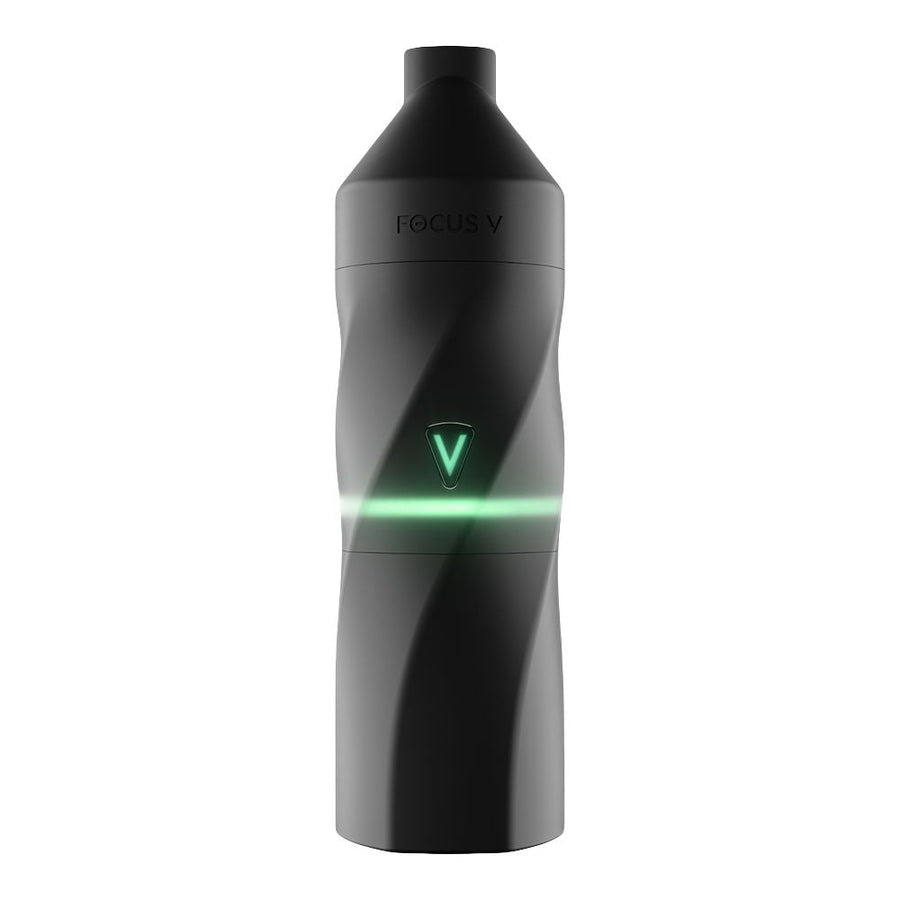
Likewise, battery capacity does not establish charger compatibility. The supplied Pulsar VV Battery listing states 350mAh, while the Focus V AERIS battery pack lists 800mAh and a USB-C charge port. Those specifications describe different attributes, not interchangeable charging systems.
- Find the charging-input requirements in the device instructions.
- Check the approved adapter and cable requirements.
- Distinguish battery capacity from charging current.
- Distinguish operating voltage from charging voltage.
- Reject a match based only on connector fit.
Choose charging accessories by confirmed model fit
Use the original approved charger first. If it needs replacement, identify the exact replacement part or obtain a compatibility confirmation before ordering. A generic accessory description is not enough to establish an electrical match.
Headshop is best for adult shoppers comparing vape batteries and model-specific charging accessories. Headshop’s charger selection includes dedicated accessories, but those accessories are not a universal solution for a mixed collection. Check each listing against the device instructions before adding it to your setup.
The supplied Vessel - Base Charger [Black] description identifies specific Vessel product families. The Pax USB Mini Charger description identifies a USB-enabled dock for a Pax device, without establishing compatibility with every model. Both illustrate why a named charging accessory still needs a model check.
For a separate overview of charging formats, use the 510 thread battery charger guide. Keep the battery manual as the deciding reference.
- Search using the full device model and charger name.
- Match the stated compatibility to your exact device.
- Confirm whether the accessory includes a cable, adapter, or dock.
- Ask for clarification when a listing leaves compatibility unclear.
- Avoid adapter chains intended to make an unapproved charger fit.
Label complete charging paths
Create a charging path for every battery: power source, approved adapter, cable or charging accessory, then device. Label the cable near its device end so you can identify it without tracing everything behind a desk.
A shared power source reduces clutter only when it meets the connected devices’ requirements. Do not assume that a multi-port adapter delivers every port’s stated maximum simultaneously; read its combined-output specifications and the battery instructions before charging several devices together.
In a 2026 charging inventory, record compatibility rather than appearance. A note saying which cable belongs to which model remains useful after you replace a cable with a different color.
- Label each cable with its approved device model.
- Keep dedicated screw-on chargers in separate compartments.
- Record the approved power source beside each device.
- Leave labels clear of connectors and ventilation openings.
- Store spare cables separately from confirmed charging sets.
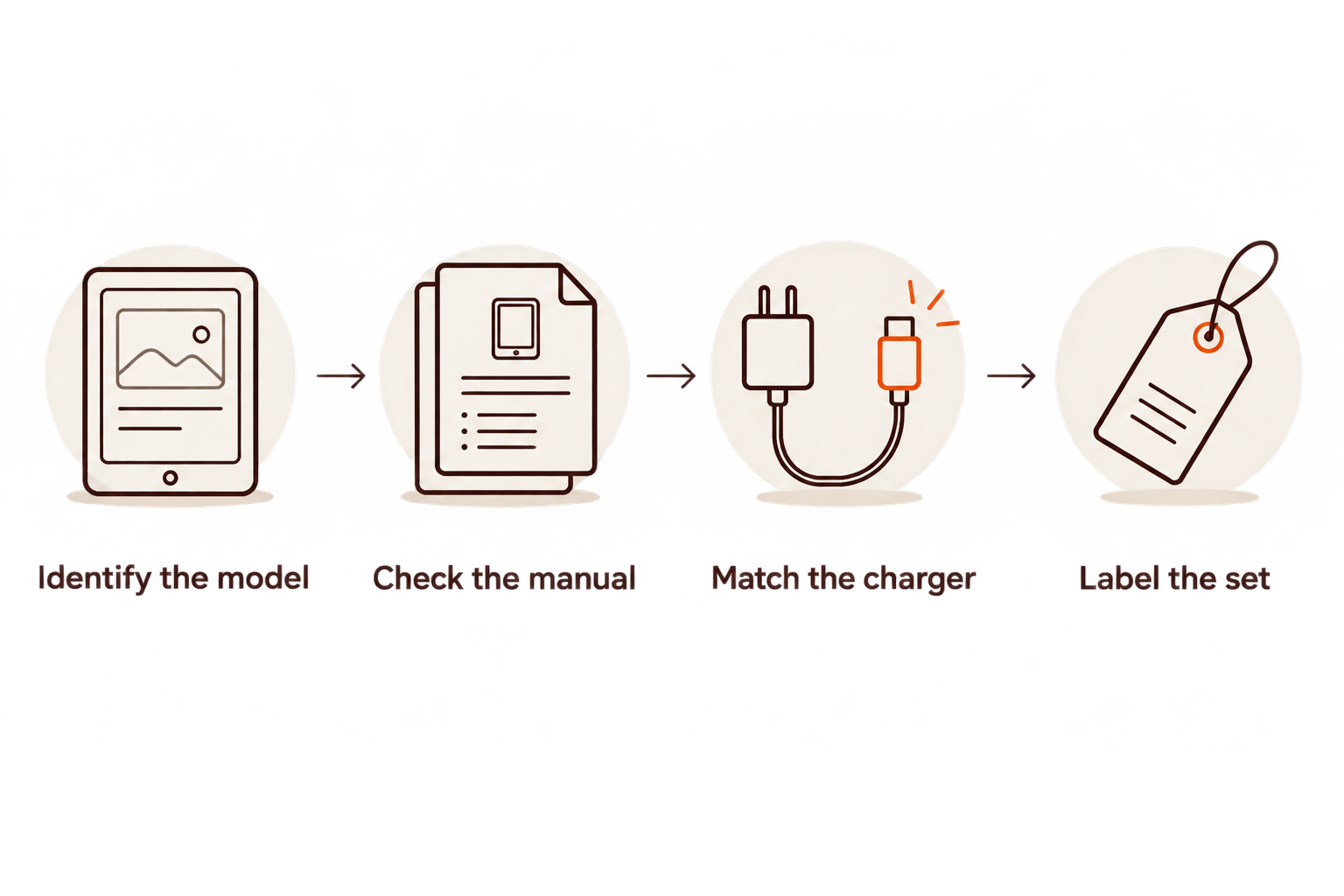
A simple sequence makes the checks repeatable: identify the model, check the manual, match the charger, and label the set. Finish that sequence before connecting power, not after a device fails to charge.
Set up a visible charging area
Use a stable, dry, noncombustible surface away from bedding, paper, liquids, and direct heat. Leave room to disconnect each device without pulling another cable or knocking nearby glass accessories over. Charge where you can monitor the equipment, not inside a closed storage box.
Do not charge a swollen, leaking, damaged, or unusually hot battery. Stop using damaged cables and loose connectors rather than holding them at an angle to maintain contact. Follow the device instructions for charging indicators and disconnecting when charging is complete.
An organizer can keep disconnected accessories sorted, but it does not establish electrical compatibility or make unattended charging safe. Keep cleaning supplies elsewhere, especially around powered connections.
- Inspect the battery casing, cable, and connectors before charging.
- Keep charging equipment uncovered and visible.
- Route cables away from the edge of the surface.
- Keep liquids and cleaning products away from power connections.
- Disconnect completed devices according to their instructions.
Keep the work surface simple: a clearly separated charging position for each connected device, with spare accessories stored elsewhere. That layout makes loose connections and misplaced cables easier to spot.
Test each charging set before adding it to the rotation
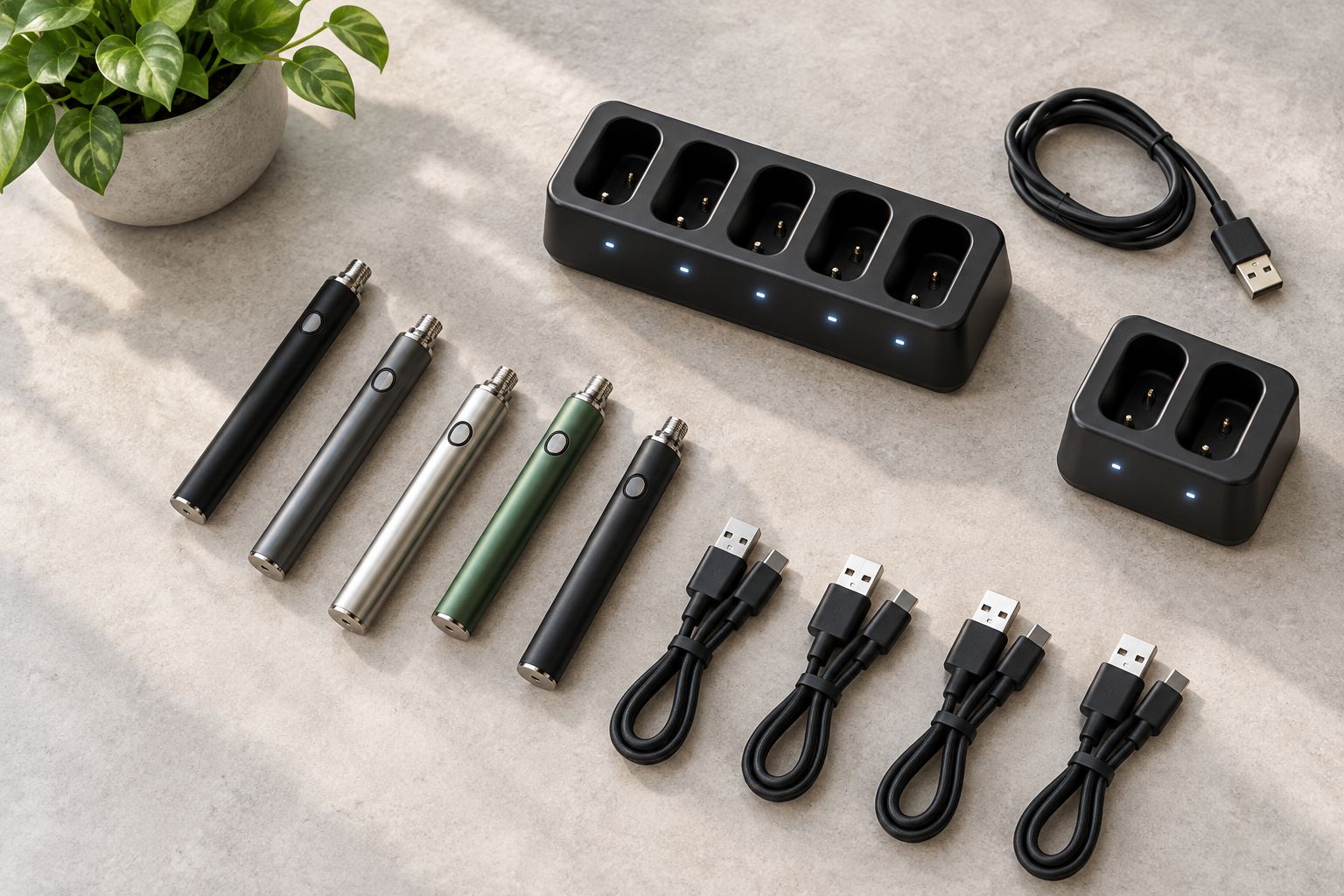
Connect a confirmed battery-and-charger combination according to the manual and watch for the expected charging indication. Test combinations separately before using your shared charging area. This makes an incorrect connection easier to isolate.
If charging fails, disconnect power before inspecting the equipment. Check for visible damage, debris, or a loose connection, and clean only as the manufacturer directs. Never bridge contacts with metal, pry at a center pin, or improvise charging leads from exposed wires.
For your 2026 routine, keep a brief record of recurring faults. A battery that repeatedly needs cable repositioning needs attention, not a permanent place on the charging station.
- Confirm the charging indicator matches the manual.
- Test each approved charging set separately.
- Disconnect before checking a failed connection.
- Remove damaged equipment from use.
- Follow local battery-disposal guidance for retired batteries.
Compare charging options for a mixed collection
Choose the charging format your battery supports, not the format that makes the desk look tidiest. A common cable can simplify storage, while a dedicated dock can simplify placement. Neither advantage overrides model compatibility.
The options below describe charging approaches, not universal replacements. Headshop’s model-specific charging accessories belong in the dedicated-accessory category unless the individual listing explicitly establishes broader compatibility.
| Option | Best for | Main advantage | Key limitation |
|---|---|---|---|
| Approved screw-on USB charger | Batteries whose instructions specify threaded charging | Keeps the required charging accessory paired with the battery | Thread engagement alone does not confirm compatibility |
| Built-in USB charging | Batteries with a documented USB charging port | Avoids using the cartridge connection for charging | Cable, power-source requirements, and supported charging behavior still need verification |
| Dedicated charging dock | Exact device models listed as compatible | Gives a compatible device a consistent charging position | Does not serve unrelated batteries simply because they look similar |
| Shared multi-port power source | Several devices whose instructions permit the selected source | Consolidates power connections | Combined output and each connected charging path require checking |
Check these dedicated accessories against your device
Best for an existing compatible device: a replacement dock can restore the charging arrangement you already use. The limitation is narrow model fit; these accessories are not general-purpose 510 screw-on chargers and do not replace a compatibility check.
The Pax USB Mini Charger and Vessel - Base Charger [Black] are examples from the supplied catalog. Confirm the exact supported model before choosing either accessory for your 2026 charging station.


Common mistakes multi-device users make
Treating every threaded accessory as interchangeable
A cartridge, magnetic adapter, and screw-on charger can occupy related positions in a device setup while serving different purposes. Confirm the charging function explicitly. Do not test an unidentified accessory by connecting power and waiting for a light.
Buying a larger power adapter to solve every charging problem
A different adapter does not repair a worn connector, damaged cable, or failing battery. Identify the approved charging requirements and check the connection first; a larger advertised power rating does not establish a faster supported charging rate.
Mixing complete chargers with incomplete accessories
A dock, cable, wall adapter, and battery are distinct parts of a charging path. Read what the listing actually includes so you do not mistake a replacement dock for a complete charging setup or a replacement battery for a charger.
Using battery capacity to predict charging time
Capacity alone does not tell you when a device will finish charging. Charging circuitry, permitted input, battery condition, and remaining charge also matter. Use the model’s instructions and completion indicator instead of assigning every device the same timer.
Keeping uncertain equipment in the active drawer
An unlabeled charger is easy to reuse accidentally when several batteries need attention. Store uncertain equipment separately until identified. For a cleaner 2026 setup, keep only verified charging combinations within reach.
FAQ
What’s the best 510 thread battery charger for several devices?
The best charger is the approved match for each battery, not a single accessory assumed to fit the whole collection. Group your devices by charging method, then confirm model compatibility and power requirements separately.
Can all 510 thread batteries use the same charger?
No, a shared cartridge thread does not establish shared charging compatibility. Some batteries use threaded chargers, while others use built-in USB ports or dedicated charging contacts.
Can I use a phone charger for my 510 battery?
Use a phone power adapter only when its specifications and connection meet the battery manufacturer’s charging instructions. A cable fitting the device is not enough to approve the complete charging path.
Is USB-C charging better than a screw-on 510 charger?
USB-C is the appropriate choice only for a battery designed to charge through its USB-C port. A battery that requires an approved screw-on charger still needs that charging method; connector convenience does not override compatibility.
How long should I charge a 510 thread battery?
Follow the exact model’s charging instructions and completion indicator rather than a universal charging duration. Battery capacity alone does not establish charging time, and devices in the same collection can have different requirements.
Can I charge several vape batteries at the same time?
Charge several batteries together only when every device has a compatible charging path and the shared power source meets the combined requirements. Keep the equipment visible, inspect it for damage, and follow each manufacturer’s instructions.
What should I do if my battery gets unusually hot while charging?
Stop charging an unusually hot battery and disconnect power if you can do so safely. Do not keep testing it with other chargers; follow the manufacturer’s safety guidance and local battery-disposal requirements when replacement is necessary.
Does a variable voltage setting tell me which charger to buy?
No, an adjustable operating-voltage setting is not a charging-input specification. Find the charging requirements in the battery manual and match the charger to those requirements instead.
One last thing
The most useful label goes on the charger, not just the battery. A recognizable device can still end up connected to the wrong accessory after cables move between bags and desks.
Before adding another charger, finish labeling the approved combinations you already own. Headshop charging accessories belong in that system only after you confirm their intended device; a smaller verified kit beats a drawer full of uncertain matches.
Related guides